When using an online YouTube converter, safety is often one of the first concerns. Users may wonder whether the website contains malicious content, whether its ads or redirects could pose security risks, and whether downloaded files are safe to open. CNVMP3 is one such tool that deserves a closer look, especially for users who want to download videos or convert them into audio files without installing additional software.
So, is CNVMP3 safe to use, and is it the right tool for your needs? In this review, we'll examine its security, explore common errors and download limitations. We'll also introduce two alternatives worth considering if you're looking for a more flexible YouTube to MP3 converter or want to save long YouTube videos.
Table of Contents
What Is CNVMP3? A Quick Overview
CNVMP3 is a free, web-based media converter that allows users to convert YouTube videos into MP3 audio files or download them as MP4 videos. It is designed to simplify the downloading process, requiring users to paste a video URL into the website rather than install additional software or create an account. With its straightforward interface and browser-based functionality, CNVMP3 provides a convenient option for users looking to save online videos or extract audio for offline access.
CNVMP3 Review: A Closer Look at Its Safety and Trustworthiness
Before using an online YouTube to MP3 converter, it's worth checking whether the website is safe and trustworthy. In this CNVMP3 review, we take a closer look at its security through multiple sources, including Google's Safe Browsing report, VirusTotal analysis, Reddit user feedback, and our own hands-on tests. We also examine potential security risks associated with website advertisements, unexpected redirects, and downloaded files to provide a more comprehensive assessment of the service.
Google Safe Browsing Report: Is CNVMP3 Flagged as Unsafe?
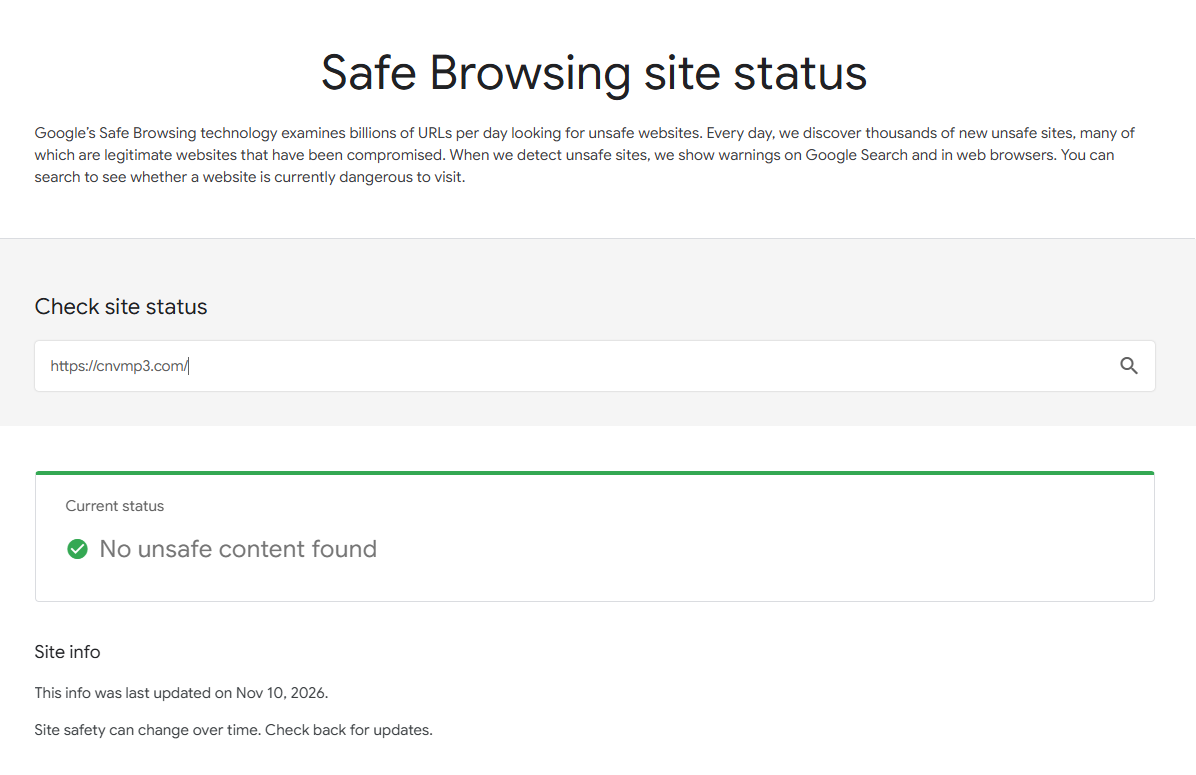
We first checked CNVMP3 using Google's Safe Browsing Transparency Report, which provides information about websites identified as potentially dangerous, including those associated with malware or other security threats.
CNVMP3 received a clean result in the report, with Google displaying the message "No unsafe content found." At the time of our check, the report did not identify any unsafe content associated with CNVMP3.
This is a positive sign, as CNVMP3 is not currently flagged by Google's Safe Browsing system. However, a clean report does not guarantee that a website is completely risk-free.
VirusTotal Analysis: Does CNVMP3 Trigger Any Security Warnings?
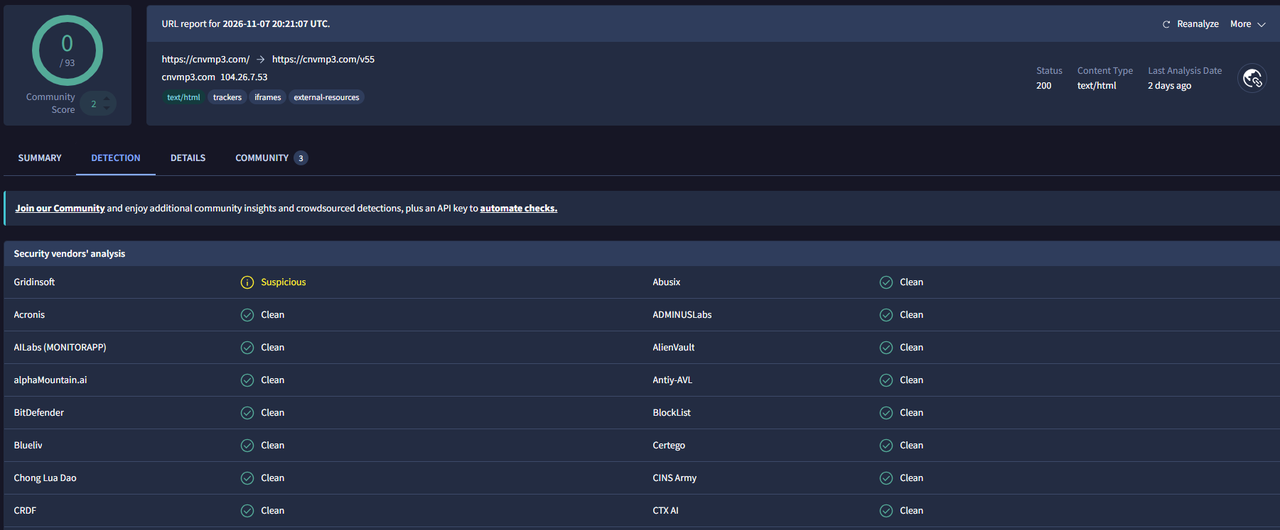
To further evaluate CNVMP3's security, we also checked its URL using VirusTotal, a security analysis platform that aggregates results from multiple security vendors and scanning engines.
The results were generally reassuring. According to the VirusTotal report, no security vendors flagged the CNVMP3 URL as malicious, and most of the available detection results were marked as clean.
The report also showed that all recorded requests used HTTPS, meaning the analyzed connections were encrypted during transmission.
However, there was one result worth noting: Gridinsoft classified the URL as "Suspicious." Although this does not necessarily mean that the website contains malware or poses a confirmed security threat, it is a result that should not be overlooked.
What Do Reddit Users Say About CNVMP3?
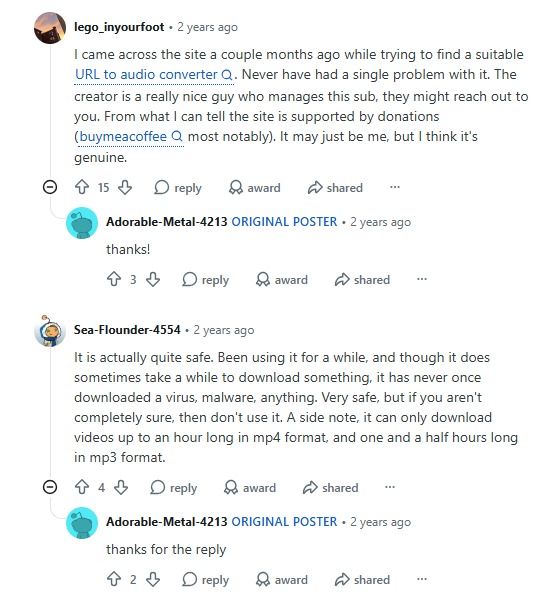
Since independent reviews of CNVMP3 are relatively limited, we also looked through Reddit discussions to see what people who have actually used the service had to say.
The feedback we found was generally positive. Several users reported using CNVMP3 without encountering viruses, malware, or other noticeable security problems.
For example, one Reddit user who had been using the service for a while commented that they had never downloaded a virus or malware through it. Another user shared a similar experience, saying they had not encountered any safety issues and would recommend the service.
However, the discussion also revealed a few limitations:
- Download speed: One user mentioned that downloading files could sometimes take a while.
- Limited independent information: Another user pointed out that there was relatively little information about the website outside Reddit.
- General precautions: Some users recommended scanning downloaded files with antivirus software or tools such as VirusTotal rather than relying entirely on other people's experiences.
Overall, Reddit feedback suggests that users in the discussions we reviewed generally had positive experiences with CNVMP3, particularly regarding security. Still, these comments represent individual experiences rather than independently verified security assessments.
Our Hands-On Security Test: Ads, Pop-ups, and Redirects
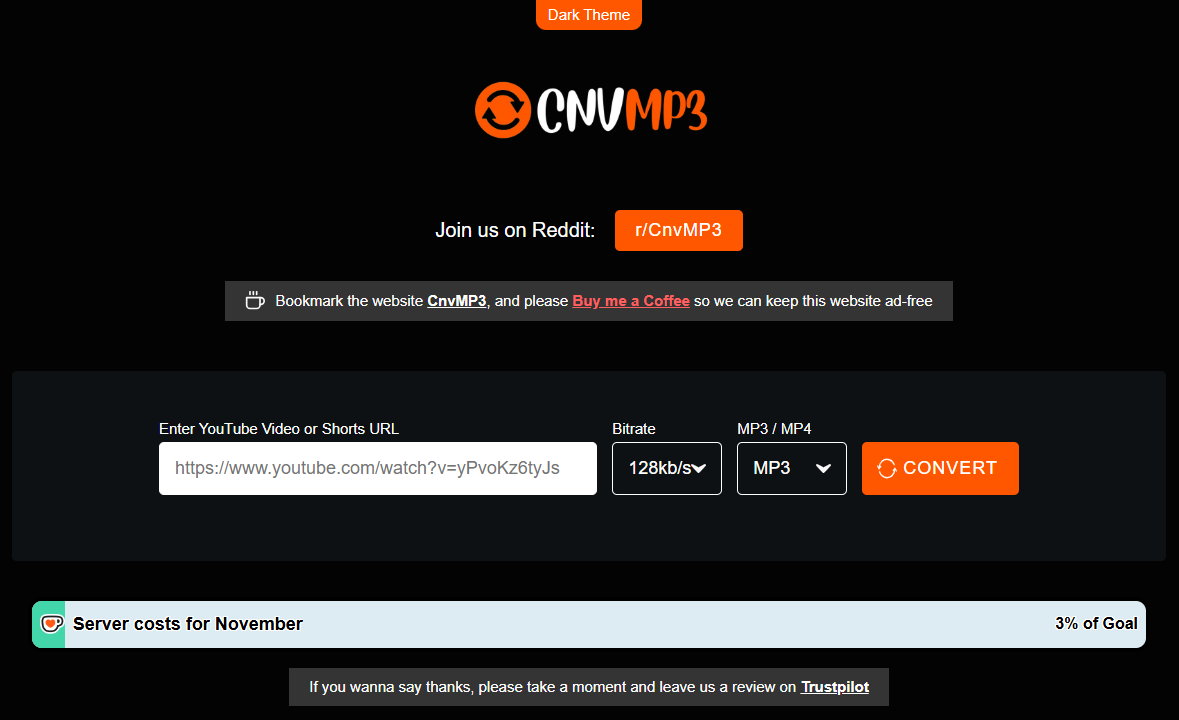
Online video converters sometimes raise security concerns because of intrusive advertisements, misleading download buttons, pop-up windows, and unexpected redirects. These behaviors can make it difficult for users to distinguish legitimate download links from potentially harmful third-party pages.
To see whether CNVMP3 presents similar issues, we tested its website during the search and download process, paying particular attention to advertisements and unexpected browser behavior.
Here are our findings:
- No visible advertisements: We did not encounter any advertising banners or promotional placements while browsing the website.
- No pop-up ads: Searching for videos and downloading files did not trigger pop-up advertising windows.
- No unexpected redirects: We were not redirected to unrelated advertising pages or third-party promotional websites during our tests.
Interestingly, CNVMP3 does not appear to rely on conventional website advertising to support its operation. Instead, as stated by the website's creator, the service is primarily maintained through user donations.
Downloaded File Safety Test: Are CNVMP3 Downloads Free of Malware?
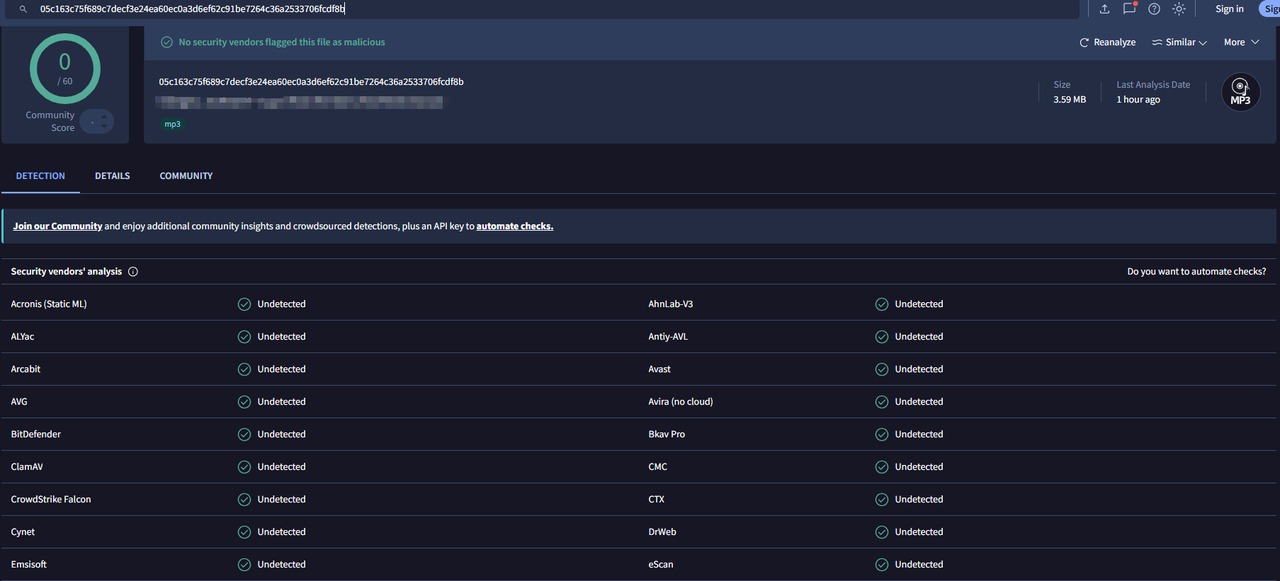
Checking the website itself is only part of a security assessment. Downloaded files also need to be examined, as a website that is not flagged as malicious does not necessarily guarantee that every file it provides is safe.
To evaluate this, we downloaded 10 files in total from CNVMP3, including both MP3 audio files and MP4 video files, and submitted them individually to VirusTotal for security analysis. The results were consistent across all 10 samples: VirusTotal reported "No security vendors flagged this file as malicious" for every downloaded file. While this is a positive result, it only reflects the 10 files we tested and cannot guarantee that every file downloaded from CNVMP3 is completely safe.
Is CNVMP3 Safe to Use? Our Overall Assessment
Based on the available evidence, CNVMP3 shows several positive signs in terms of security and trustworthiness:
- Website reputation: Google Safe Browsing found no unsafe content, while VirusTotal reported no widespread malicious detections. However, Gridinsoft classified the URL as suspicious.
- User experience: Reddit feedback was generally positive, and our tests found no visible advertisements, pop-ups, or unexpected redirects.
- Downloaded file safety: None of the 10 MP3 and MP4 files we tested was flagged as malicious by VirusTotal.
Taken together, these findings suggest that CNVMP3 provides a relatively clean browsing experience and performed well in our security tests. While no online security scan can guarantee complete protection, the results we obtained are generally reassuring.
Common CNVMP3 Problems and How to Fix Them
Although CNVMP3 offers a straightforward way to convert online videos, users may occasionally encounter error messages or find that certain videos cannot be downloaded. Some of these issues are related to incomplete or inaccessible video links, while others result from privacy settings or the website's download restrictions.
Below are some common CNVMP3 errors, their possible causes, and the steps you can take to resolve them.
Error: Failed to Extract Title from videoPrimaryInfoRenderer
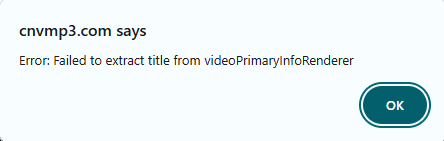
The "Failed to extract title from videoPrimaryInfoRenderer" error may appear when CNVMP3 cannot retrieve the basic information associated with a submitted URL.
This error may occur for several reasons:
- The submitted video URL is incomplete or invalid.
- The original video has been deleted or is no longer available.
- You submitted a YouTube playlist URL, which CNVMP3 does not support.
How to fix it:
If you encounter this error, try the following steps:
- Refresh the CNVMP3 webpage to reset the current search or download session.
- Check whether the original video is still available on YouTube.
- Make sure you are using an individual video URL rather than a playlist link.
- Copy the complete video URL from the video's page.
- Paste the full URL into CNVMP3's search box and try again.
If you are submitting a playlist link, CNVMP3 will not be able to process it. You will need to use an individual video URL instead, or use an alternative tool.
Similarly, if the original video has been deleted or is no longer accessible, refreshing the page will not resolve the issue.
Error: ytInitialData Does Not Contain Expected Structure
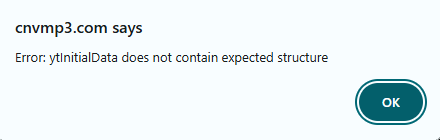
The "ytInitialData does not contain expected structure" error can occur when you try to download a private YouTube video through CNVMP3.
Private videos have restricted access and are not publicly available to other users. As a result, CNVMP3 may be unable to retrieve the video information required to process the download.
How to fix it:
The solution depends on whether you uploaded the video yourself:
- If you are the video owner: Open YouTube Studio, find the video, and change its visibility setting from Private to Public. Once the change takes effect, copy the video URL again and try downloading it through CNVMP3.
- If you are not the video owner: You cannot change the video's privacy settings yourself. You will need to contact the uploader and ask them to make the video public. Otherwise, CNVMP3 will not be able to access and process the private video.
In short, this error is related to video accessibility rather than an issue that can necessarily be fixed by refreshing CNVMP3 or submitting the same URL again.
CNVMP3 Download Limitations: Video Length and Copyright Restrictions
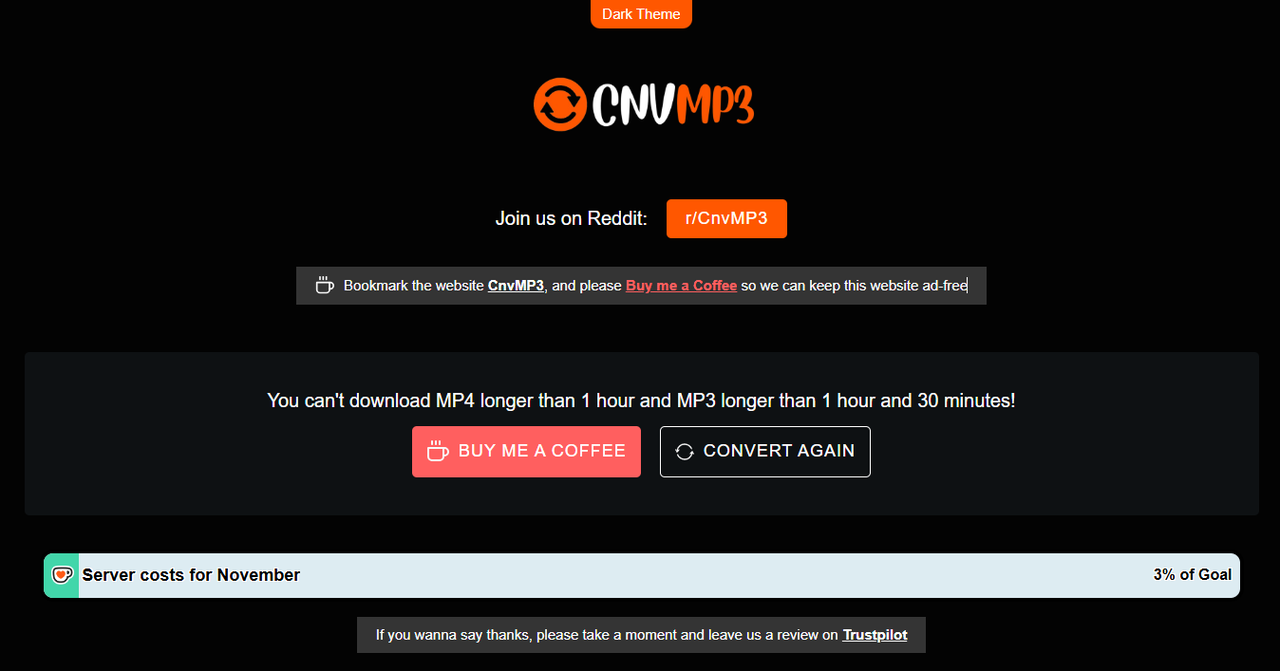
Not every video that can be viewed online can be downloaded through CNVMP3. The website also has certain limitations on the content it supports.
Based on our testing, CNVMP3 currently has the following restrictions:
- MP4 video downloads: Videos longer than 1 hour cannot be downloaded.
- MP3 audio downloads: Audio longer than 1 hour and 30 minutes cannot be downloaded.
- Copyright-protected content: CNVMP3 does not support downloading certain copyrighted content, such as movies and TV shows.
- YouTube playlist downloads: Playlist URLs are not supported and may trigger the "Failed to Extract Title from videoPrimaryInfoRenderer" error.
- Platform support: CNVMP3 primarily supports YouTube and does not support downloads from platforms such as TikTok, Reddit, Instagram, or Facebook.
These limitations are worth keeping in mind before using the service. If a video exceeds the supported duration or falls into a restricted content category, repeatedly submitting the same URL is unlikely to help.
For users who need to process longer videos or other types of content, it may be worth considering a different tool that supports their specific requirements. Always make sure you have the necessary rights or permission before downloading or converting copyrighted material.
Best CNVMP3 Alternatives for Desktop & Online
Although CNVMP3 offers a convenient way to convert online videos, its download restrictions may not meet everyone's needs. Users who frequently download longer videos, playlists, or content from multiple platforms may want to consider other tools.
Depending on your needs, an online converter or a desktop downloader may be a better fit. Here are two CNVMP3 alternatives worth considering.
Hicoo: Convert Online Videos to MP3 from 100+ Websites
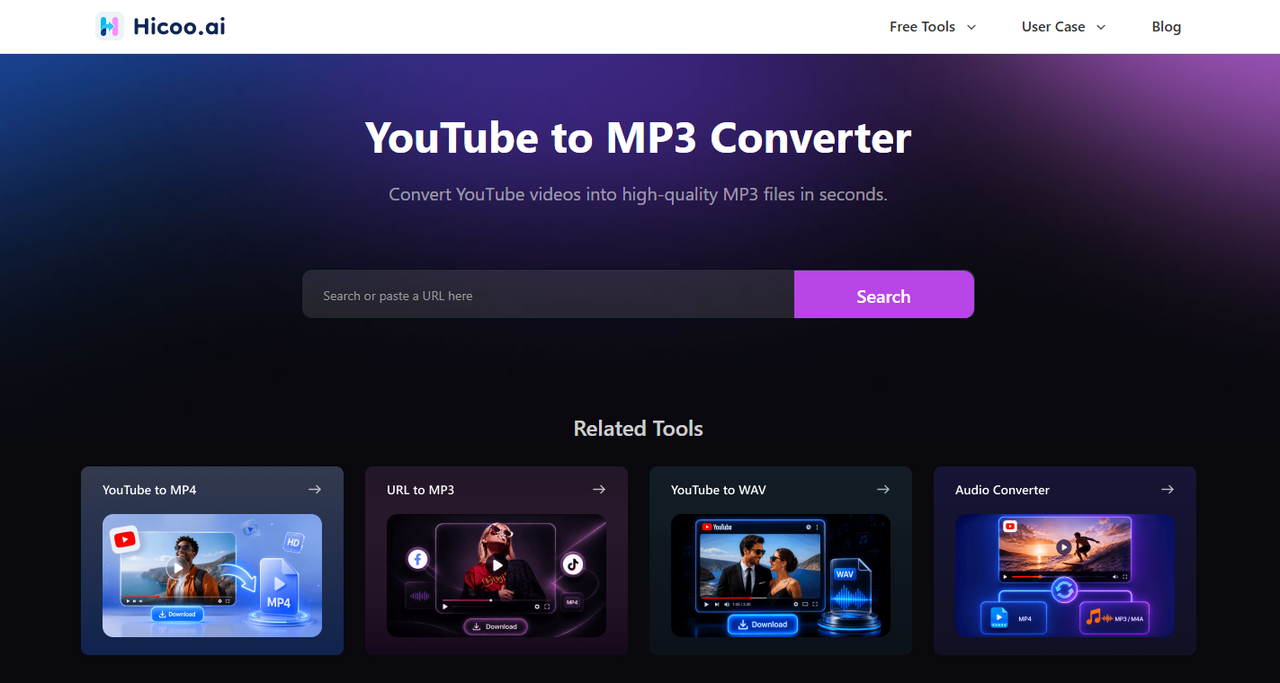
For users looking for an online alternative to CNVMP3, Hicoo YouTube to MP3 Converter offers broader platform support and a more flexible search experience. It supports downloads from over 100 websites, such as TikTok, Facebook and X. And its keyword search and video preview features make it easier to find the right content and check it before downloading. Hicoo also provides an ad-free browsing experience, and its website references Norton and McAfee security protection, offering additional reassurance for users concerned about online safety.
Key features of Hicoo:
- 100+ supported websites: Download videos and audio from YouTube and over 100 other popular platforms.
- Keyword search: Find videos by entering keywords instead of having to copy and paste a video URL.
- Video preview: Preview videos before downloading to make sure you have selected the right content.
- MP3 and MP4 downloads: Convert YouTube videos to MP3 audio or download them as MP4 video files.
- Ad-free experience: Browse and download without intrusive advertisements interrupting the process.
- Security information: Hicoo references Norton and McAfee security protection on its website.
- Browser-based access: Use the converter directly online without installing additional software.
Best for: Users who want to download content from multiple websites, prefer keyword-based video search and preview, and are looking for a convenient online alternative to CNVMP3 without installing software.
AnyUkit: A Desktop Converter for Long Videos and Playlists
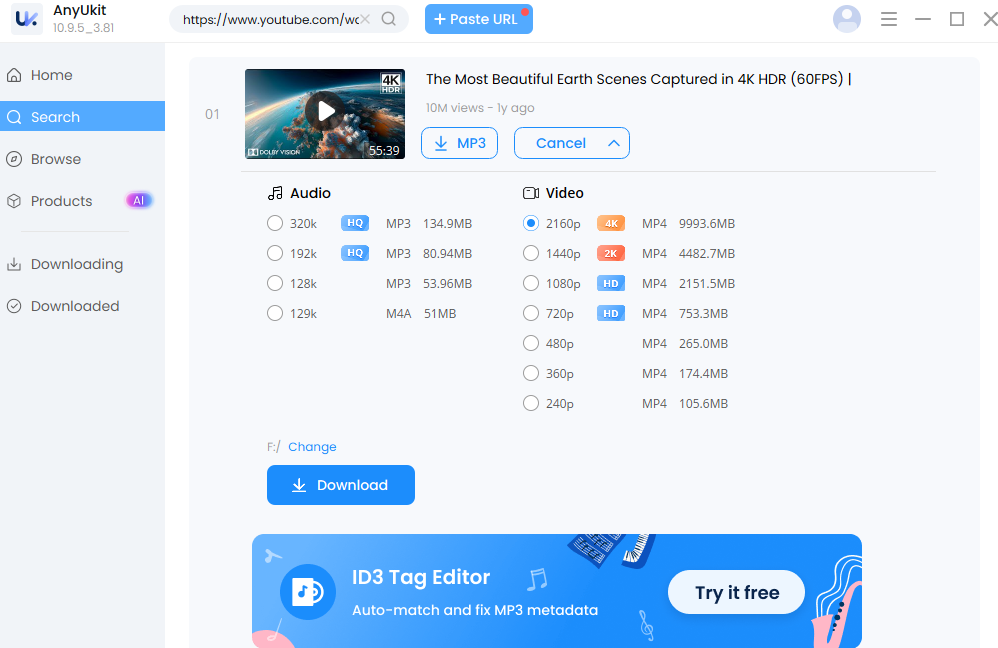
For users who frequently download long videos or entire playlists, AnyUkit offers a more flexible alternative to CNVMP3. Available for Windows, Mac, and Android, this downloading application supports videos longer than 3 hours and makes playlist downloads more convenient. Users can add an entire playlist to the download queue with one click and download up to 6 files simultaneously, making it easier to manage large batches of content.
Key features of AnyUkit:
- Multi-platform support: Available as a downloading application for Windows, Mac, and Android.
- Long-video downloads: Supports downloading videos longer than 3 hours, making it suitable for extended recordings, lectures, interviews, and other long-form content.
- One-click playlist downloads: Add an entire playlist to the download queue with a single click instead of submitting videos individually.
- Simultaneous downloads: Download up to 6 files at the same time to handle multiple tasks more efficiently.
Best for: Users who regularly download long-form videos, entire playlists, or multiple files at once, especially those who prefer a desktop application with batch downloading capabilities.
Final Verdict: Is CNVMP3 Worth Using?
Overall, CNVMP3 appears to be a reasonably safe option based on our tests. We found no widespread malicious detections from the security services we checked, and none of the 10 downloaded files triggered a malware warning. However, these results only reflect our testing and should not be taken as a guarantee of complete security.
That said, CNVMP3 may not be the best choice for everyone. Its limited platform support, restrictions on video and audio length, and lack of a preview feature may become inconvenient for users with more demanding downloading needs.
If you are looking for an alternative, Hicoo YouTube to MP3 Converter is worth considering if you prefer a browser-based tool with support for more than 100 websites, keyword search, and video preview. On the other hand, AnyUkit is a more suitable option for users who frequently download long videos, entire playlists, or multiple files simultaneously. Ultimately, the right choice depends on the type of content you need to download and the features that matter most to you.