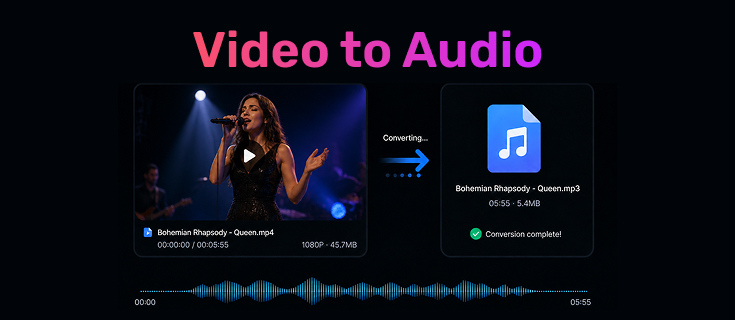
A high-definition video is great, but sometimes you only need the audio. Whether it’s a YouTube concert, a lecture for your commute, or a soundtrack you want on repeat, keeping the full video file isn’t always necessary.
By learning how to extract audio from video, you can save storage space and listen on any device. This guide covers the most reliable ways to convert video to audio, from fast online tools to professional desktop software.
Table of Contents
What Is a Video to Audio Converter and Why Use One?
A video to audio converter is a specialized tool that strips away the visual data of a video file and encodes the remaining sound into a standalone audio file like MP3 or WAV.
Think of a typical scenario: you have a 2GB MP4 movie, but you only want the 50MB of music inside it. By using a video audio extractor, you’re not just changing the file extension; you’re compressing and optimizing the data so it plays on your phone’s music player or car stereo without the unnecessary overhead of high-resolution video frames.
Method 1: Convert Video to Audio Using Online Tools
Online tools are the go-to for quick, one-off tasks. They don’t require installation and work directly in your browser. Here are three distinct options based on speed, control, and privacy.
Best for Speed & Privacy: Hicoo Video to Audio Converter
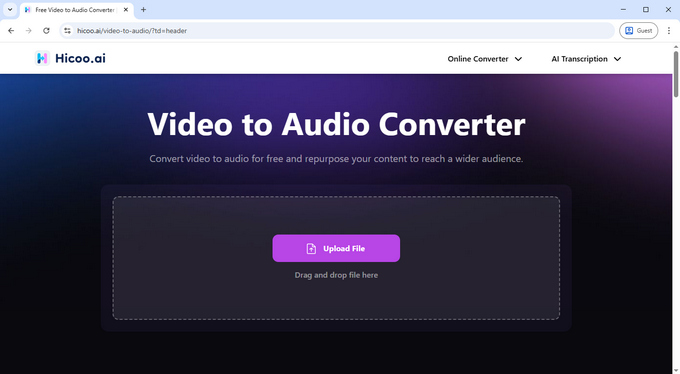
If speed and security are your top priorities, Hicoo is a standout. Unlike typical web tools that upload your files to a remote server, Hicoo Video to Audio Converter Online processes everything locally within your browser. This means no waiting for long uploads and no privacy risks - your data never leaves your computer.
How to extract audio from video using Hicoo:
- Upload: Click the "upload" icon or simply drag and drop your video into the converter box.
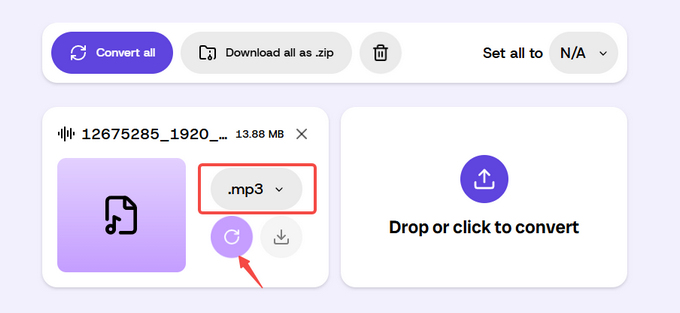
- Select Format: Choose your preferred output (such as MP3, WAV, or M4A) from the dropdown menu.
- Convert & Download: Hit the "Convert" icon. Because it uses your local browser's power, your audio file will be ready for download in seconds.
Why we recommend it:
- Performance: In our tests, a 3.9MB video finished converting in just 5 seconds.
- Capacity: It supports 17 common audio formats (including M4A and FLAC) and allows you to batch process 3 files simultaneously.
- Experience: It’s completely Ad-free, making it one of the cleanest and most direct ways to convert video to audio online for free.
Best for Custom Settings: CloudConvert
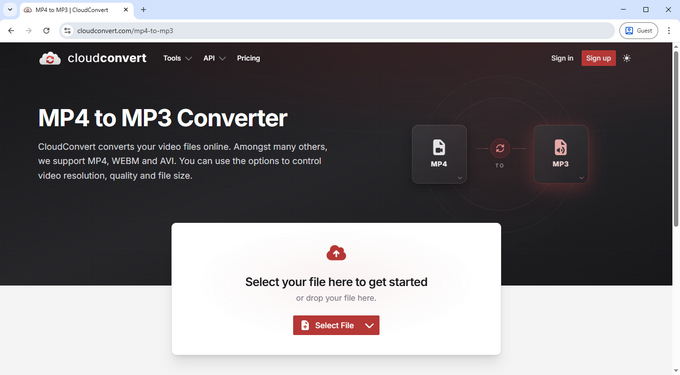
Often called the "Swiss Army Knife" of file conversion, CloudConvert is the ideal choice if you need specific output parameters. While it takes slightly longer than Hicoo (about 9 seconds for a 3.9MB file) because it requires a server upload, the level of control it offers is worth the wait.
- How to customize your output: Once your file is uploaded, click the "Options" icon. This opens a detailed settings menu where you can manually adjust the audio codec, bitrate (we recommend 320kbps for crystal clear sound), channels, sample rate and volume levels.
- Usage Limits: You can batch process up to 5 files at once, with a generous daily limit of 10 free conversions.
It’s the best way to convert video to audio file if you need the sound to meet specific technical requirements, such as preparing tracks for professional editing or high-end audio systems.
Best for Simple Edits: FreeConvert
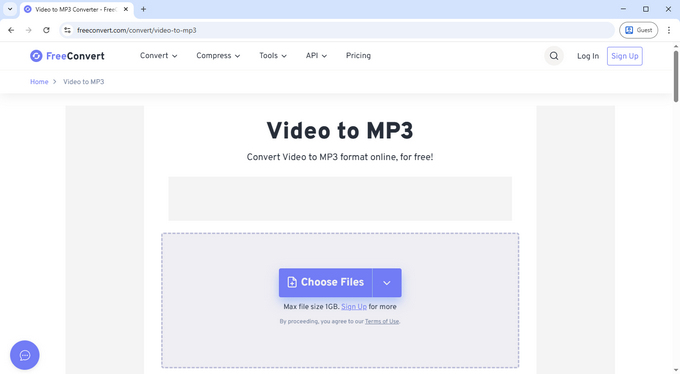
If you need to tweak the audio as you extract it, FreeConvert includes a dedicated "Settings" menu that goes beyond simple conversion. While it was the slowest in our test (18 seconds for a 3.9MB file) and contains ads, it offers unique creative tools:
- How to use its extras: After uploading, click the gear icon to apply fade-in/fade-out effects or even reverse the audio track. Then, hit the Convert icon to extract audio from video instantly.
- Privacy: To protect your data, all converted files are automatically deleted from their servers after 8 hours.
It’s a solid online video to audio converter for users who want to perform minor creative edits and conversion in a single step.
Method 2: Convert Video to Audio Without Losing Quality
A common frustration when people convert video to audio free is that the final sound ends up "tinny" or muffled. This usually happens because low-end tools apply aggressive compression to save server resources. To avoid this, you need a tool that gives you full control over the bitrate and codec.
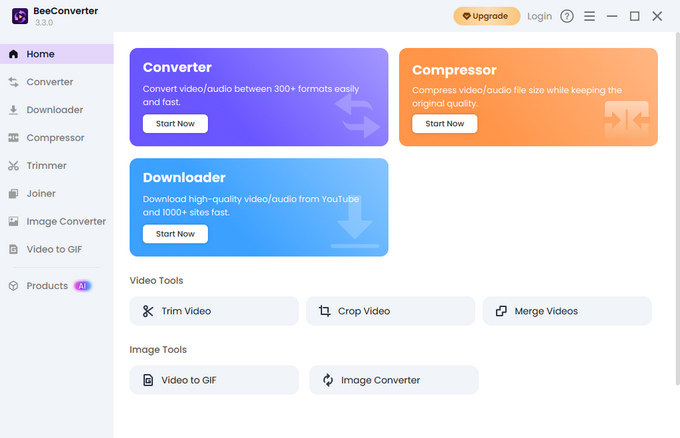
For those who demand studio-grade sound, Hicoo Premium Converter (available for Windows & Mac) is a much stronger option than any browser-based tool. Since it runs locally on your desktop, it avoids the stability caps and upload compression inherent in web tools, providing a much more robust environment for heavy-duty tasks.
How to batch convert video to audio:
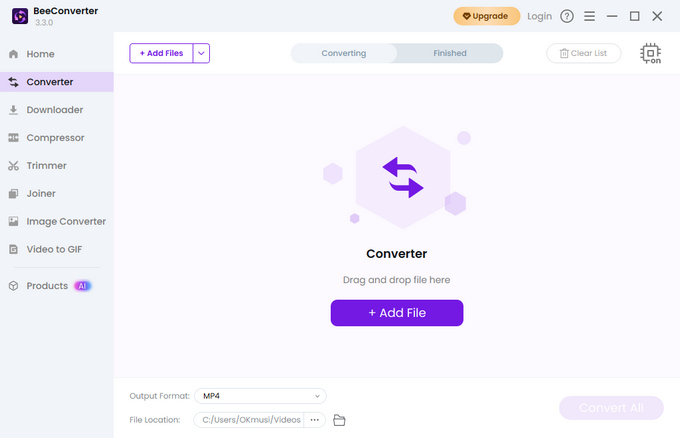
- Add Files: Drag and drop an entire folder or up to 30 individual videos into the software interface.
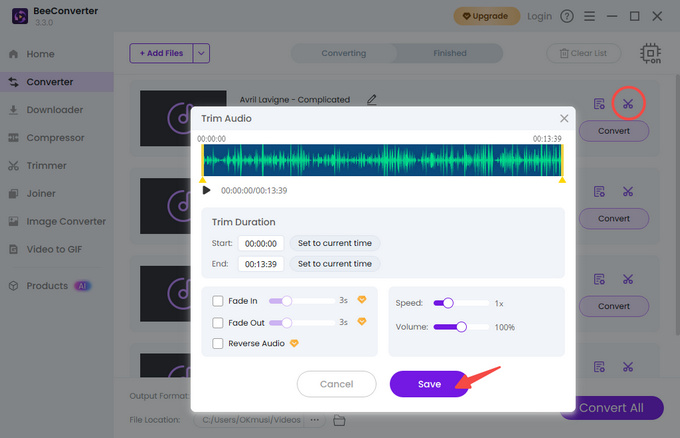
- Fine-Tune (Optional): Use the integrated "Trim" buttons if you need to cut out specific segments.
- Set AI Parameters: Choose your output format from over 200+ options. The built-in AI-balancing feature will automatically optimize frequencies for high-fidelity sound.
- Run & Export: Click "Convert All." The software uses hardware acceleration to extract audio from video at speeds impossible for online tools.
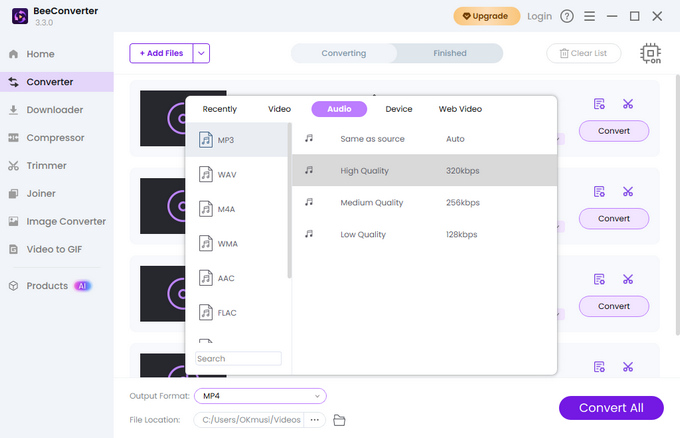
Why we recommend it:
- AI-Enhanced Quality: It uses AI-assisted processing to balance audio frequencies, ensuring the extracted audio maintains clarity, whether it's a bass-heavy music track or a multi-layered vocal recording.
- Industrial Efficiency: Perfect for long-form recordings or 4K high-fidelity music videos where every detail matters.
- Total Control: Adjust sample rates, codecs, and compression levels manually to fit your specific professional requirements.
Method 3: Convert YouTube Video to Audio
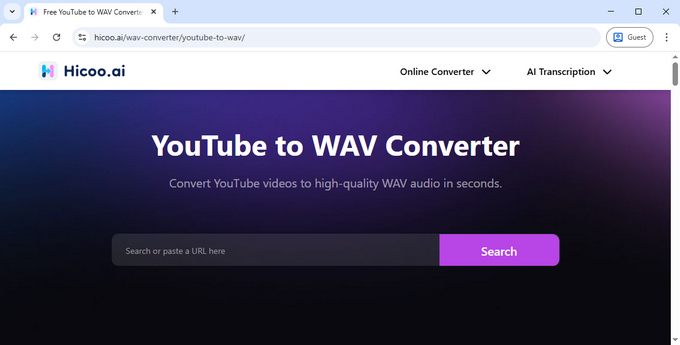
YouTube is the world’s largest library of sound, yet it lacks a native "Save as MP3" button. To build an offline collection, you need a dedicated YouTube converter that is both stable and safe.
To convert YouTube video to audio reliably, Hicoo YouTube to WAV Converter focuses on a "no-friction" experience. Unlike typical ad-heavy "YouTube video to audio converter" sites that bombard you with redirects, Hicoo offers a clean, stable download service.
- How it works: Simply paste the URL, and the tool handles the URL parsing instantly.
- Stability: The service remains stable even for hour-long videos, avoiding the common "failed download" errors found elsewhere.
- Cleanliness: It is designed to be a direct YouTube video to audio converter, meaning no pop-ups and no suspicious software required.
Quick Comparison: Which Tool Should You Choose?
| Feature | Hicoo Online | CloudConvert | FreeConvert | Hicoo Premium (PC) |
|---|---|---|---|---|
| Best For | Instant & Private tasks | Fine-tuning settings | Basic audio effects | Pro quality & Batching |
| Speed (3.9M) | ~5 Seconds | ~9 Seconds | ~18 Seconds | Blazing Fast |
| Privacy | Highest (Local) | Moderate (Cloud) | Moderate (8h Auto-delete) | Maximum (Offline) |
| File Limit | 100MB Stability Cap | No limit (Upload) | No limit (Upload) | No Limit |
| Ads | Ad-Free | Ad-Free | Contains Ads | Ad-Free |
| Key Feature | Local browser process | Audio codec & Volume | Fade in/out & Reverse | AI Balance & 200+ Formats |
How to Choose the Best Way to Convert Video to Audio
Not every method fits every situation. The best approach depends on what you care about most - speed, quality, or source.
For Quick Conversion: Use Online Video to Audio Converter
If you have a small file and need it done now, use a browser tool like Hicoo video to audio converter. It’s the fastest way to turn video into audio without any setup or software installation. It's the ideal choice for one-off tasks where privacy matters.
For High-Quality Audio: Use Professional Video Converter Software
If you are an audiophile or a content creator, use desktop software. The AI-powered balancing and the ability to adjust sample rates and codecs manually make Hicoo Premium Converter the best video to sound converter for enthusiasts who refuse to compromise on clarity.
For YouTube Videos: Use a Dedicated YouTube Video to Audio Converter
Don't bother with screen recording or complex workarounds. Use a dedicated YouTube converter that handles the URL parsing for you. It’s the most stable way to build an offline music library without dealing with intrusive ads.
For Frequent Use & Batching: Choose Desktop Tools
If you find yourself needing to export audio from video daily, the desktop version is a lifesaver. With features like merging multiple tracks, a compressor, and no file size limits, it’s a much more robust "pro" experience that saves hours of manual work through its 30-file batch processing engine.
Best Audio Formats to Use
- MP3 (320kbps): The universal choice. Perfect for a video to music converter used for mobile phones.
- WAV/FLAC: Use these if you are an editor who needs to extract audio from video for a professional project without losing a single bit of data.
- M4A: Best for iPhone/Mac users; offers better quality-to-size ratios than MP3.
Common Problems & Pro-Tips
Why Audio Quality Drops After Conversion
This is almost always due to a low bitrate. To ensure your converted audio file sounds great, always select 256kbps or 320kbps in the settings. If the tool doesn't let you choose, it's likely using a low-quality default.
Why Conversion Fails or Gets Stuck
Most online video to audio converter tools have a 100MB stability limit. If your video is a 2-hour movie or a 4K file, the browser might crash. In this case, switching to a desktop video audio extractor like Hicoo Premium will solve the issue instantly.
How to Avoid "Muffled" Sound
Look for tools that mention AI-powered balancing or Lossless extraction. If you're using a free video to audio converter, verify that it supports high-resolution output rather than capping you at "Standard Quality."
FAQ
1. Can I extract audio from video without losing quality?
It depends on the tool and settings. Many online video audio extractors compress audio by default, which can reduce quality. For best results, use a higher bitrate (like 320kbps) or a lossless format such as WAV.
2. How to convert video to audio online for free?
You can use an online tool like Hicoo Video to Audio Converter. Upload your file, choose the format, and download the audio. Since it runs locally, the process is usually faster and doesn’t require uploading large files.
3. Can I convert a YouTube video to audio for free?
Yes. Use a dedicated tool like Hicoo YouTube Converter. Paste the video URL, convert it, and save the audio file without dealing with ads or unstable downloads.
4. What is the best format for audio extraction?
MP3 (320kbps) works for most users and devices. For higher quality, use WAV or FLAC. If you’re on Apple devices, M4A offers a good balance between size and quality.
5. Why does audio quality drop after conversion?
This usually happens because the bitrate is too low or the file is heavily compressed. Increasing the bitrate or choosing a higher-quality format can help preserve audio detail.