How to Convert JFIF to JPG in 3 Steps
- Upload Your JFIF File
- Choose JPG as the Output Format
- Convert and Save Your JPG
Upload the JFIF image you want to convert. You can add multiple JFIF files at once for batch conversion.
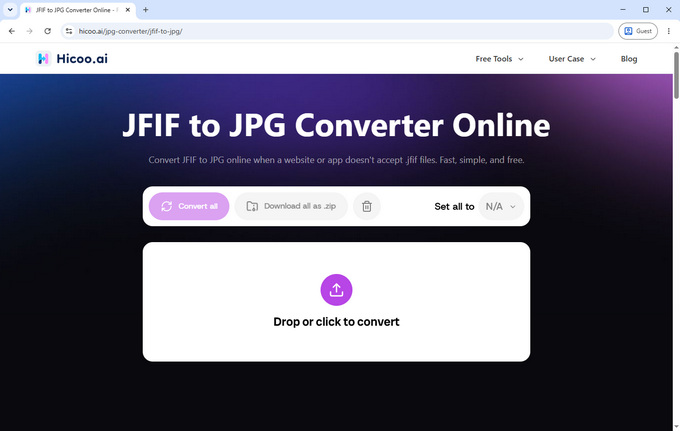
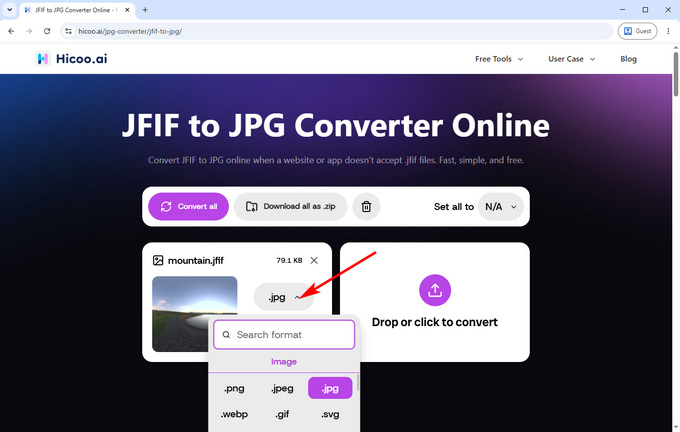
Choose JPG as the output format. Your images are processed locally in your browser, so personal or sensitive images stay on your device instead of being uploaded to a remote server.
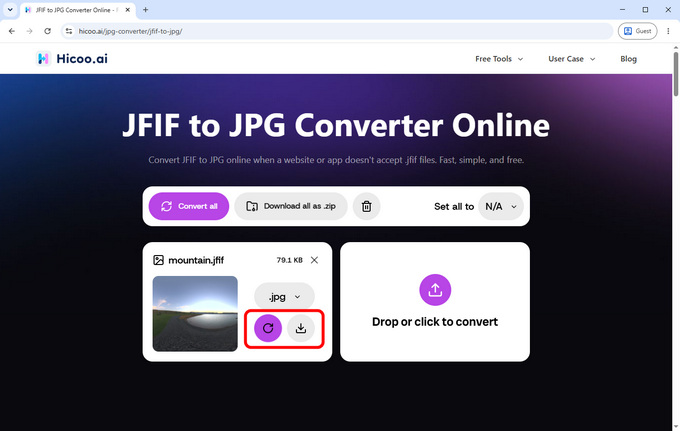
Start the conversion and save your JPG images when they're ready. The converted files keep the original image dimensions and are downloaded without watermarks.
Formats Explained
JFIF (JPEG File Interchange Format)
A JPEG-based format designed for storing and exchanging JPEG images. JFIF files typically use the .jfif extension.
JPG (JPEG)
A common file extension for JPEG images, widely supported by websites, apps, image editors, and other platforms.
JFIF vs JPG: What's the Difference?
JFIF and JPG are closely related JPEG formats, but .jfif is not as widely recognized as .jpg. Some websites and applications may accept .jpg and .jpeg while rejecting .jfif, so converting to JPG can make the image easier to upload and use.
Can You Just Rename JFIF to JPG?
You can often rename .jfif to .jpg because both are commonly used with JPEG images. However, renaming only changes the file extension; it does not re-encode the image. Converting the file is a better option when you specifically need a JPG output.
Why Does the JPG File Size Change?
JFIF and JPG can use the same JPEG compression standard, but the encoding settings can differ. As a result, the JPG file may be larger even though the image dimensions stay the same.
FAQ
1. Is JFIF the same as JPG?
JFIF is based on the JPEG standard, while JPG is a common file extension for JPEG images. They are closely related, but .jfif and .jpg are different file extensions.
2. Can I open a JFIF file without converting it?
Usually, yes. Most modern image viewers and editors can open JFIF files, although some websites or applications may specifically require .jpg or .jpeg.
3. Does converting JFIF to JPG change the image dimensions?
No. The converted JPG keeps the original image dimensions. However, the file size may increase because the image is re-encoded.