Converting YouTube videos into audio files is useful for many situations, from listening to podcasts and lectures offline to organizing personal audio collections. However, different users need different solutions.
Some people prefer a quick online YouTube to MP3 converter, while others need higher audio quality, playlist processing, or advanced desktop features. In this guide, we tested popular YouTube video to audio converters based on audio quality, supported formats, URL compatibility, speed, interface design, and overall user experience.
Table of Contents
Best YouTube Video to Audio Converters at a Glance
Before diving into the detailed reviews, here is a quick comparison of the tested YouTube video to audio converters. This table highlights the main strengths of each tool to help you quickly find the option that best fits your needs.
| Tool | Key Strength | Output Formats | Platform |
|---|---|---|---|
| Hicoo YouTube to MP3 Converter | Clean online experience + broad YouTube compatibility | MP3, M4A | Browser, Mobile |
| Acekits YouTube to WAV Tool | WAV-focused audio conversion | WAV | Browser, Mobile |
| iTopio YouTube Playlist Converter | Playlist processing | MP3 (128/192/320 kbps) | Browser, Mobile |
| MP3Cow | Simple one-step workflow | MP3 | Browser, Mobile |
| yt-dlp | Open-source control and customization | WebM, M4A, MP3* | Windows, macOS, Linux |
| Hicoo Premium Converter | High-quality output + batch conversion | MP3, M4A, MP4 | Windows, macOS |
| 4K Video Downloader | YouTube account integration | MP3, M4A, MP4 | Windows, macOS, Linux |
*MP3 conversion with yt-dlp requires FFmpeg.
1. Hicoo YouTube to MP3 Converter (Editor's Choice)
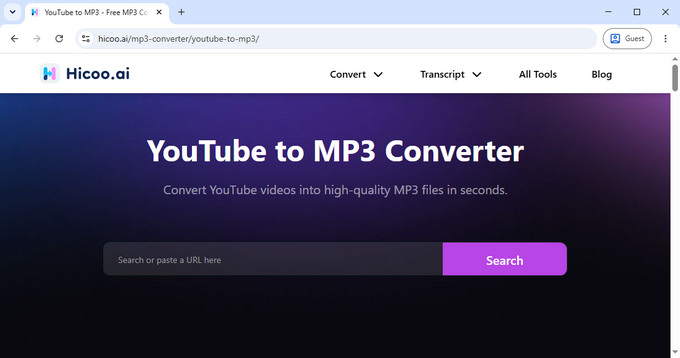
Hicoo YouTube to MP3 Converter earns our Editor's Choice recommendation by combining broad YouTube compatibility, a clean browser-based experience, and simple audio conversion features. During our testing, it delivered a smooth experience across standard YouTube videos, Shorts, playlists, channel links, and keyword-based searches, making it more versatile than many basic online converters.
One of its biggest advantages is the balance between simplicity and functionality. Users can preview video information before conversion, choose between MP3 and M4A formats, and complete the process directly from a browser without installing software. The clean interface and ad-free experience also make it more comfortable to use compared with many free online converters.
We also tested this YouTube audio extractor on mobile browsers and found that it worked well on both Android and iPhone devices. This makes it a practical option for users who want to convert YouTube audio while using a phone or tablet.
The online version supports MP3 conversion at 128 kbps. Users who need higher-quality output, such as 192 kbps or 320 kbps MP3, can upgrade to Hicoo Premium Converter.
Why It Stands Out
- • Supports multiple YouTube content types, including videos, Shorts, playlists, channels, and search results
- • Allows users to preview videos before conversion
- • Supports MP3 and M4A output
- • Clean, ad-free browser experience
- • Works well on desktop and mobile browsers
Best for: Users who want a simple and reliable online YouTube audio converter that works with different types of YouTube content without installing additional software.
2. Acekits YouTube to WAV Tool - Best for High-Quality WAV Audio
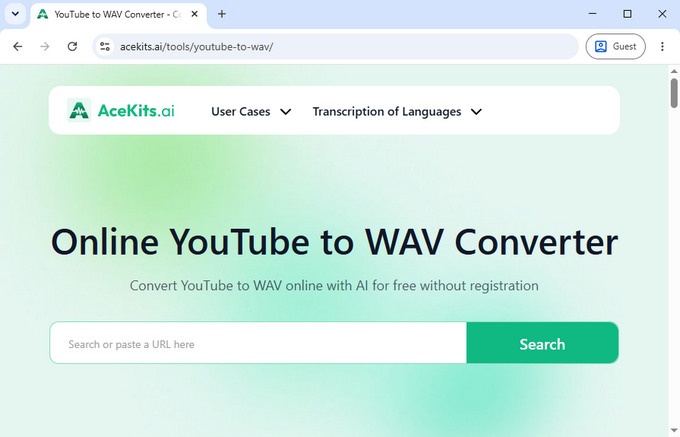
Acekits YouTube to WAV converter is designed for users who care more about audio quality than file size. Unlike most online YouTube audio converters that focus primarily on MP3 output, Acekits focuses on WAV conversion, making it a better option for users who want uncompressed audio files.
During testing, Acekits provided a simple conversion workflow. After entering a YouTube URL, users can preview the video details before starting the conversion process. This small feature helps reduce mistakes, especially when working with videos that have similar titles or multiple versions.
The interface is clean and lightweight, with no complicated settings. It also performed well on mobile browsers, making it practical for Android and iPhone users who want to extract YouTube audio without installing an application.
The main difference between Acekits and typical MP3 converters is the target audience. WAV is commonly used when users need an uncompressed output format for editing and archiving.
Why It Stands Out
- • Focuses on WAV audio conversion
- • Preview available before conversion
- • Clean, ad-free interface
- • Works well on mobile browsers
- • Simple workflow with no technical setup
Best for: Music enthusiasts, audio editors, and users who need uncompressed WAV audio for better quality and editing flexibility.
3. iTopio YouTube Playlist Converter - Best for Playlist Processing
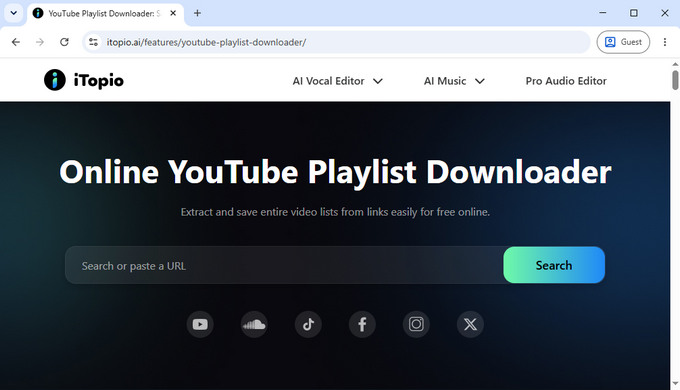
Many YouTube video to audio converters work well for individual videos but become inconvenient when users need to process an entire playlist. iTopio YouTube Playlist Converter focuses on solving this specific problem.
During testing, the biggest advantage was its playlist parsing capability. After entering a playlist URL, iTopio was able to identify the videos inside the playlist quickly and present them in a manageable way. This makes it much easier to process multiple tracks instead of handling each URL separately.
Another useful feature is audio quality selection. Users can choose between 128 kbps, 192 kbps, and 320 kbps MP3 output depending on their preference between file size and audio quality.
Compared with many simple online YouTube converters, iTopio feels more optimized for users with larger conversion tasks. The interface remains simple, and the experience works well on both desktop browsers and mobile devices.
Why It Stands Out
- • Designed specifically for YouTube playlist processing
- • Quickly identifies videos inside playlist URLs
- • Supports multiple MP3 quality options
- • Simple interface suitable for beginners
- • Works on desktop and mobile browsers
Best for: Users who frequently convert YouTube playlists, music collections, podcasts, or educational content.
4. MP3Cow - Best for Simple One-Step Conversion
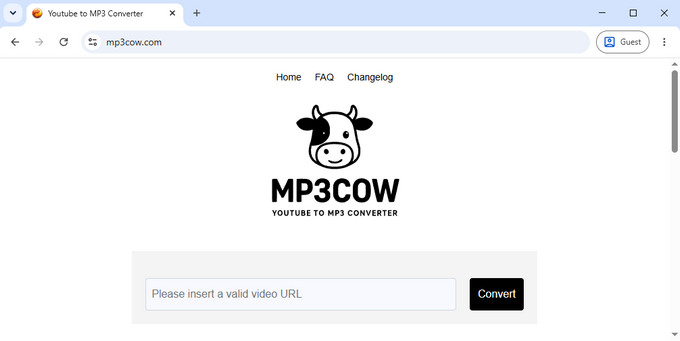
MP3Cow focuses on simplicity. It does not try to compete with advanced converters through extra features-instead, it provides a straightforward way to convert a YouTube video into an MP3 file with minimal steps.
During testing, the workflow was one of the simplest among the tools reviewed: enter a URL, start the conversion, and complete the process. There are no complicated options or settings, which makes it suitable for users who only need occasional conversions.
The trade-off is that MP3Cow provides fewer customization options compared with other tools. There is no video preview feature, and users cannot manually choose audio quality settings before conversion.
One interesting feature is its free usage limit. MP3Cow provides up to 10 free conversions per day, which is enough for casual users but may not be suitable for people who regularly process large amounts of content.
For users who want more features, such as playlist support, higher quality selection, or more flexible formats, alternatives may provide a better experience.
Why It Stands Out
- • Extremely simple conversion process
- • No learning curve
- • Suitable for occasional users
- • Provides limited free daily usage
- • Fast and lightweight interface
Best for: Users who want the simplest possible YouTube to MP3 conversion experience and do not need advanced options.
Tip: Looking for similar tools with more features? See our guide to MP3Cow Alternatives for additional options.
5. yt-dlp - Open-Source Audio Tool for Advanced Users
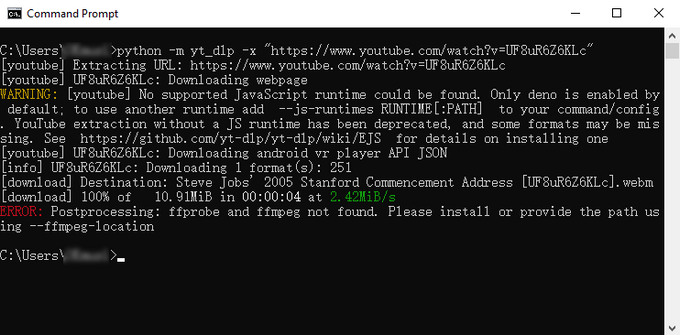
yt-dlp is different from the other tools in this comparison. Instead of offering a browser interface, it is a command-line based open-source application designed for users who want maximum control over the conversion process.
During testing, yt-dlp showed excellent compatibility with YouTube content. It successfully processed standard videos, and its support extends far beyond YouTube, covering a large number of other websites.
One major advantage is that yt-dlp can access the highest-quality audio streams available from the source. In many cases, this means extracting WebM (Opus) or M4A audio instead of immediately converting everything into MP3. For users who care about audio quality, keeping the original format can actually provide better results.
However, this flexibility comes with a learning curve. Unlike online YouTube video to audio converters, yt-dlp requires users to work with command-line instructions. Users who want MP3, WAV, or other formats also need FFmpeg installed for post-processing.
During our test, yt-dlp was extremely reliable once configured correctly. However, it is clearly designed for technical users rather than beginners.
Why It Stands Out
- • Free and open-source
- • Excellent compatibility with YouTube and many other websites
- • Supports playlists, channels, subtitles, thumbnails, and metadata
- • Can extract high-quality original audio streams
- • Highly customizable through command options
- • Suitable for automation workflows
Best for: Developers, advanced users, and anyone who wants maximum control over audio extraction and file processing.
6. Hicoo Premium Converter - Best for High-Quality and Batch Conversion
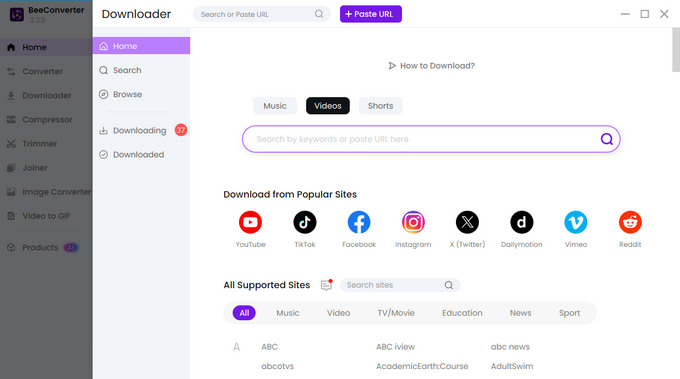
Hicoo Premium Converter is designed for users who need more than occasional online conversion. Instead of focusing only on browser-based convenience, it provides a complete desktop workflow for handling larger conversion projects.
During testing, the biggest differences compared with online tools were audio quality options and batch processing capability. The software supports MP3 output at 128 kbps, 192 kbps, and 320 kbps, along with M4A and HD MP4 formats.
For users managing multiple videos, batch conversion significantly improves efficiency. Instead of processing each video separately, users can organize multiple tasks and let the software handle them together.
Another advantage is the built-in media toolkit. Besides YouTube audio conversion, Hicoo Premium Converter includes features such as format conversion, trimming, and compression, making it useful for users who frequently work with different types of media files.
During testing, its support for various YouTube URL formats was strong, including videos, Shorts, playlists, and channels. It also supports more than 1,000 websites, expanding its usefulness beyond YouTube.
Why It Stands Out
- • Supports high-quality MP3 output up to 320 kbps
- • Batch conversion for multiple videos
- • Supports MP3, M4A, and HD MP4 formats
- • Compatible with Windows and macOS
- • Includes converter, trimmer, and compressor tools
- • Supports more than 1,000 websites
Best for: Users who frequently convert YouTube content and need higher audio quality, batch processing, and an all-in-one media solution.
7. 4K Video Downloader - Best for Managing YouTube Playlists and Libraries
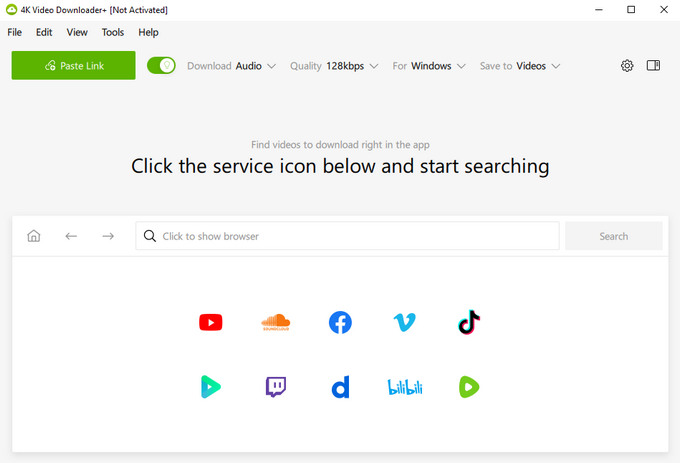
4K Video Downloader takes a different approach from most converters by integrating with YouTube accounts. This makes it useful for users who manage personal YouTube libraries and want easier access to content they already follow or save.
During testing, the account integration feature was the main highlight. Users can access supported content connected to their own YouTube account, such as playlists, Watch Later collections, and liked videos, provided they have permission to view that content.
The software also supports audio extraction with multiple quality options. For MP3 output, users can select different quality levels, while video conversion options provide additional flexibility.
In our testing, most links worked normally, although some URLs occasionally required a retry before processing successfully. We did not observe any consistent issues affecting regular use.
Users who process a very large number of URLs in a short period may also encounter temporary rate limitations from YouTube.
Why It Stands Out
- • Supports YouTube account-based workflows
- • Useful for personal playlists and saved collections
- • Multiple audio quality options
- • Mature desktop application
- • Supports multiple operating systems
Best for: Users who want to manage and process content from their own YouTube account, playlists, and personal collections.
How We Tested These YouTube Video to Audio Converters
To compare these YouTube video to audio converters fairly, we tested each tool using the same evaluation criteria.
Our testing focused on:
- • Supported YouTube URL types, including videos, Shorts, playlists, and channels
- • Available audio formats such as MP3, M4A, WAV, and WebM
- • Audio quality options
- • Conversion speed and stability
- • Video preview availability
- • Mobile browser compatibility
- • Batch processing capability
- • Additional features such as format conversion, trimming, and compression
We also evaluated each tool based on its intended audience. A simple online YouTube video to audio converter should provide a fast and beginner-friendly experience, while advanced tools should offer more customization and control.
The goal of this comparison is not to find one universal winner, but to identify the best option for different user needs.
FAQ
1. How do I convert a YouTube video to audio?
To convert a YouTube video into audio, copy the video URL, paste it into a YouTube audio converter, choose MP3 or M4A format, and start the conversion. Tools like Hicoo YouTube to MP3 Converter provide this workflow directly in a browser.
2. Which audio format should I choose for YouTube conversion?
MP3 is the best choice for everyday listening because it works with almost all devices. M4A provides a good balance between quality and file size, while WAV is better for users who need uncompressed audio for editing or professional use.
3. Can I convert a YouTube playlist into audio files?
Yes. Tools with playlist support can process multiple videos from a playlist instead of handling each URL separately. iTopio YouTube Playlist Converter is designed specifically for playlist conversion and can recognize videos inside a playlist quickly.
4. Why does YouTube audio quality vary after conversion?
Audio quality depends on the original YouTube source, selected format, and bitrate settings. Choosing a higher-quality output such as 320 kbps MP3 or WAV can preserve more detail compared with lower-quality settings.
Conclusion
The best YouTube video to audio converter depends on your specific needs. Hicoo YouTube to MP3 Converter is a practical choice for users who want a simple online solution, while Hicoo Premium Converter is better suited for users who need higher-quality audio, batch conversion, and additional media tools.