How to Convert MP4 to MP3 in 3 Steps
- Upload Your MP4 Files
- Choose MP3 Format and Convert
- Convert MP4 to MP3 Format
Drag and drop your MP4 files or click to upload. We support processing up to 3 files simultaneously (max 100MB per file). It's 100% safe, all processing runs on your browser. Your files are never uploaded to any server.
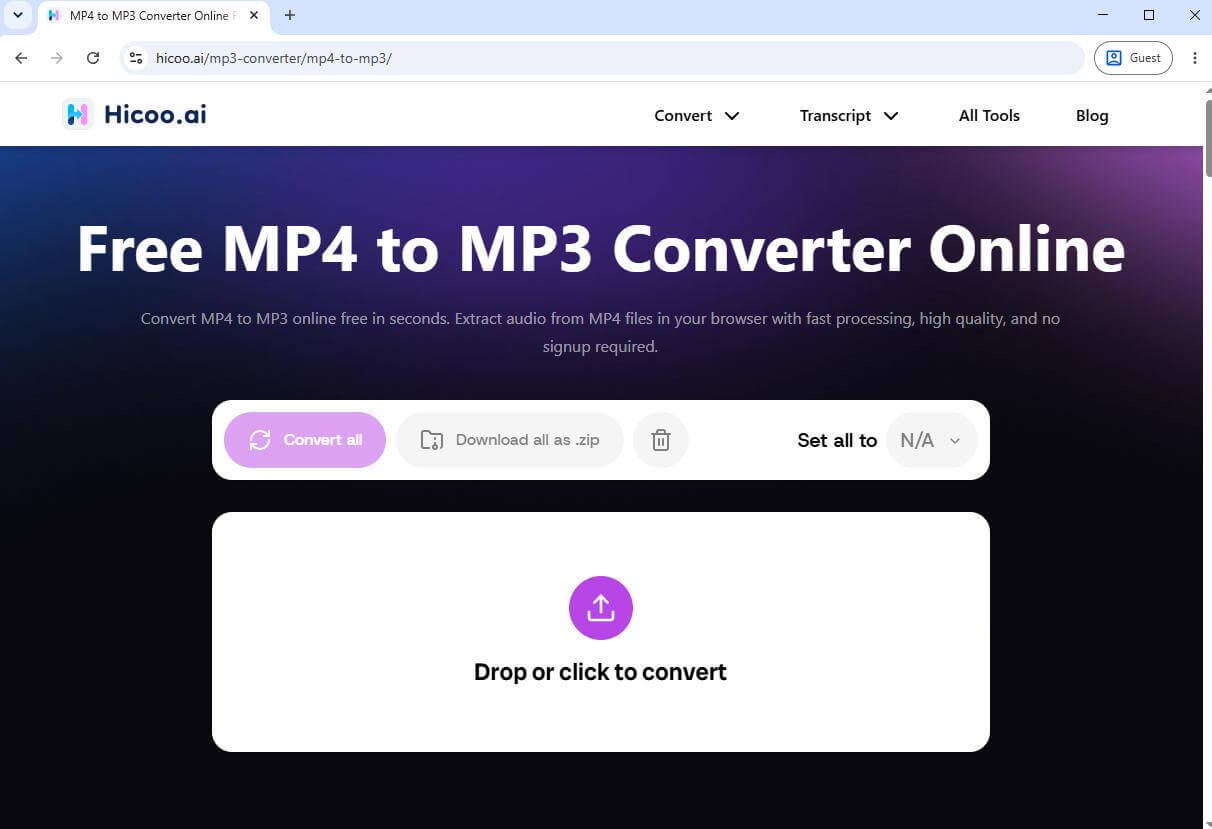
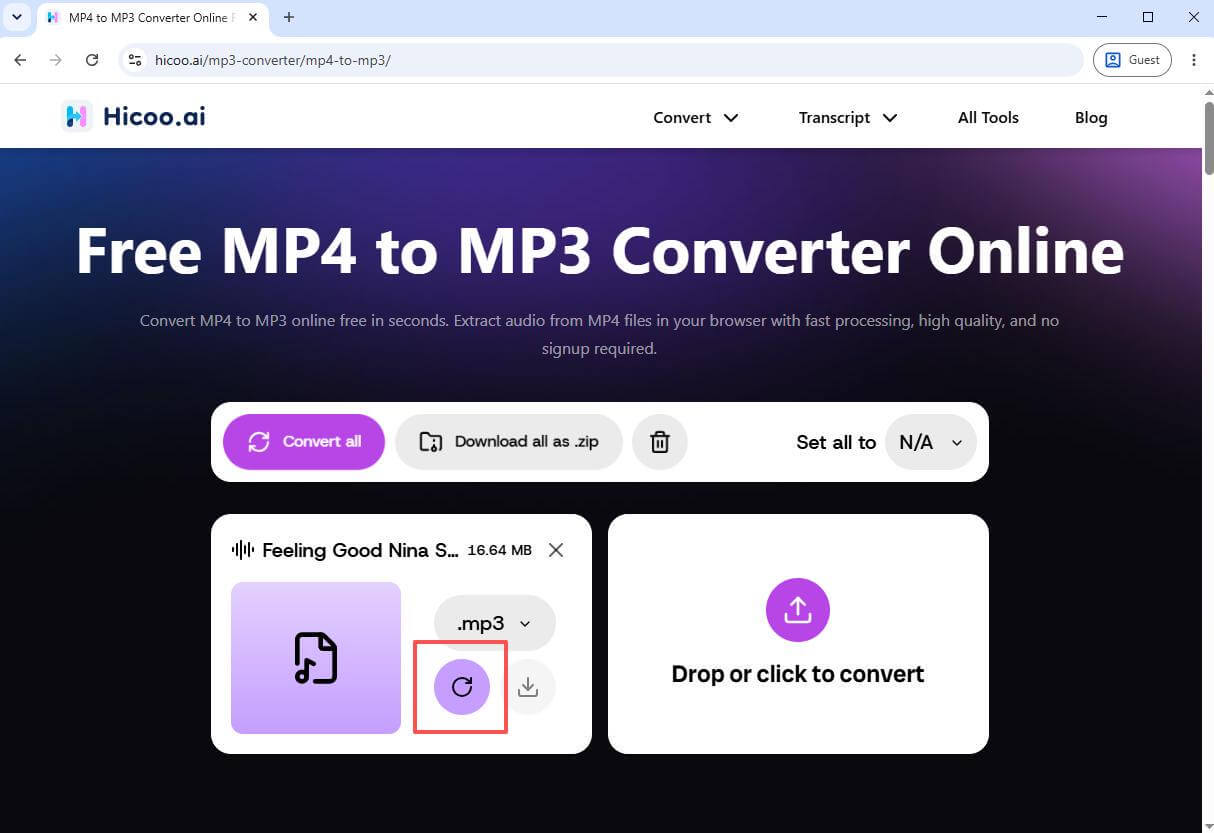
Select MP3 as your desired output format. In addition to MP3, we support 20+ popular formats including OGG, WAV, and M4A. Click 'Convert' to instantly extract the audio, fast, ad-free, and seamless.
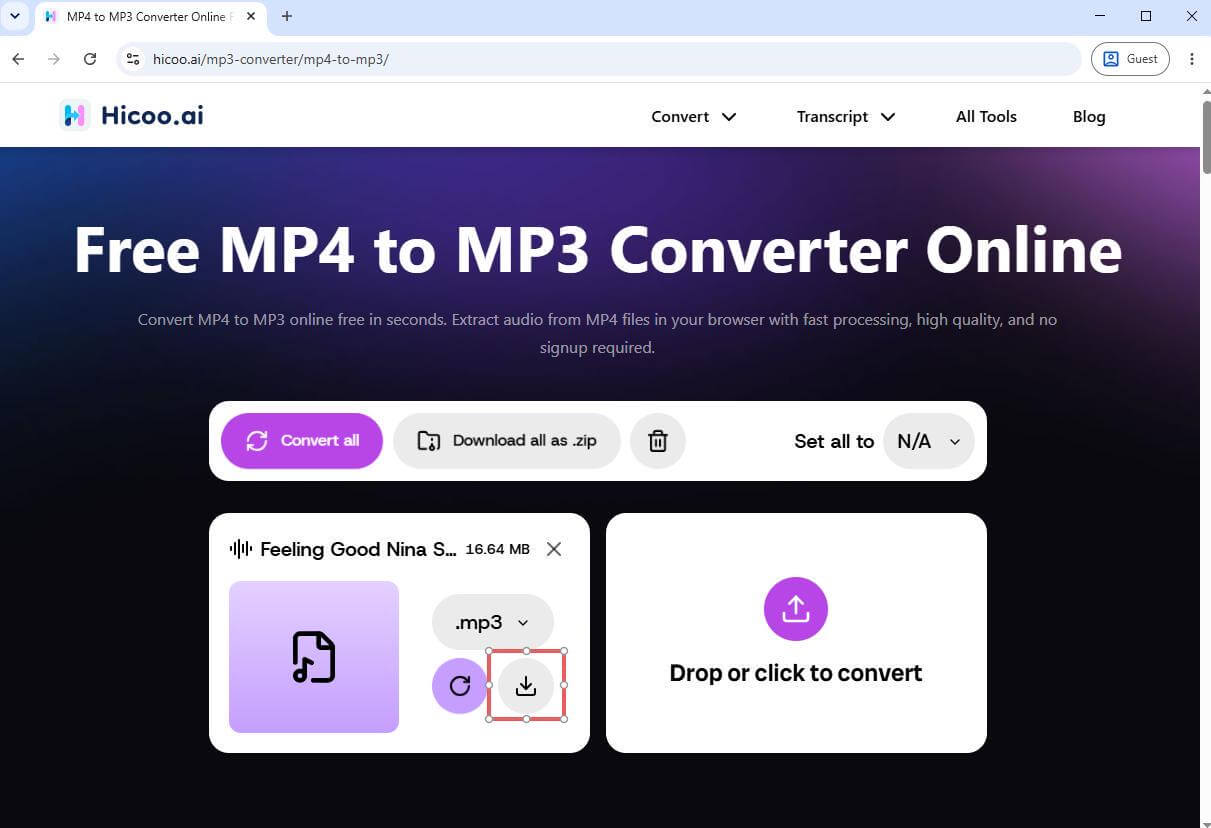
Click the convert button to save the extracted MP3 audio files directly to your device. Enjoy a simple, smooth, and secure local conversion with zero ads or hidden payments.
Supported Formats
Input (Video Files):
MP4, MOV, MKV, AVI, WEBM and more
Output (Audio Files):
MP3, WAV, AAC, FLAC and more
Convert Large Videos in Seconds
Online conversion supports files up to 100MB per file with fast browser-based processing. For larger files or advanced workflows, you can use Hicoo Premium Converter.
FAQ
1. Is this MP4 to MP3 converter safe to use?
Absolutely. This tool operates with 100% privacy. All file conversions run locally inside your web browser, meaning your MP4 videos are never uploaded to any external servers. Your data stays entirely on your own device.
2. What are the limitations on file size and quantity?
You can convert up to 3 MP4 files at the same time. The maximum allowed size for each individual video file is 100MB.
3. Does this online converter support other formats besides MP3?
Yes. While MP3 is the most popular choice, this tool supports over 20 audio output formats, including OGG, WAV, M4A, and many others, allowing you to extract the exact audio file type you need.
4. Are there any hidden fees or mandatory registrations?
No. This tool is completely free with no registration, no account sign-up, and no software installation required. You can convert your files smoothly without any annoying ads or interruptions.