
MP3Cow is an online YouTube to MP3 converter designed for simple, occasional use. It does not require an account and has no visible ads or unexpected redirects in our testing.
So, is MP3Cow safe? It appears to be a straightforward service for converting standard YouTube videos, but there are a few privacy details and usage limits worth understanding before you use it. If those limitations matter to you, Hicoo YouTube to MP3 Converter offers a similar browser-based workflow with support for more types of YouTube URLs.
Table of Contents
What Is MP3Cow?
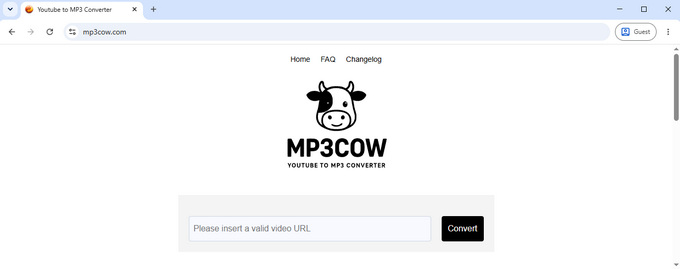
MP3Cow focuses on one main task: converting a YouTube video URL into an MP3 file. The process is browser-based, with no account, software installation, or browser extension required.
Its narrow focus also keeps the interface simple. You paste a supported YouTube URL, start the conversion, and receive an MP3 file. It outputs MP3 only and does not provide bitrate selection or other audio format options.
Is MP3Cow Safe to Use?
For normal browser use, MP3Cow keeps things simple, with no software installation, account creation, or browser extension required. In our testing, there were no visible ads or unexpected redirects.
MP3Cow says it does not store download history or personal data. However, its privacy information also describes the collection of limited technical information, such as IP address, browser type, and usage data, for purposes such as analytics and security. This means that MP3Cow's privacy practices are more nuanced than simply saying that no personal data is stored.
MP3Cow's Terms of Use also place responsibility on users to make sure they have the necessary rights or permission to use the content they process.
For a broader look at what to check when evaluating an online audio converter, see our guide to safe MP3 converters.
What Are the Limitations of MP3Cow?
MP3Cow is intentionally focused on individual YouTube videos, so its supported URL types and audio options are limited. It supports MP3 output only, does not offer bitrate selection, and has a 90-minute limit for the source video.
The service also allows 10 free conversions per day. Playlist and channel URLs are not supported, which means you need to process supported individual video URLs separately. These limitations may be fine for occasional use but become more noticeable when you work with different types of YouTube content.
| Feature | MP3Cow |
|---|---|
| Supports standard YouTube video URLs | Yes |
| Supports YouTube Shorts URLs | No |
| Supports YouTube playlist URLs | No |
| Supports YouTube channel URLs | No |
| MP3 output | Yes |
| MP3 bitrate selection | No |
| Maximum source length | 90 minutes |
| Free daily conversions | 10 |
| Account required | No |
| Conversion history stored | No |
Hicoo: An Alternative to MP3Cow
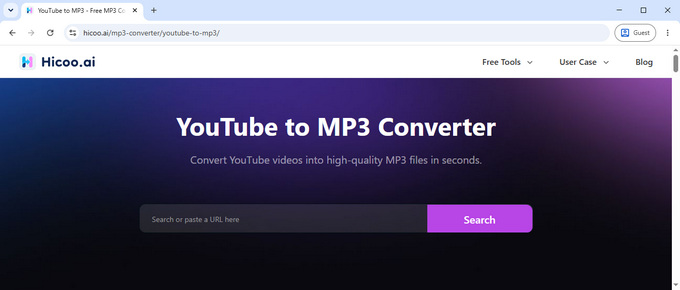
MP3Cow can work well if you only need to convert individual YouTube videos to MP3. But if you need to handle Shorts, playlists, channels, or choose between different MP3 quality options, its limited URL support and audio options may become restrictive. Hicoo YouTube to MP3 Converter supports these YouTube URL types and offers 128kbps, 192kbps, and 320kbps MP3 options, giving you more control over the balance between audio detail and file size. It also works with URLs from 200+ platforms and requires no account.
For users who want the same simple browser-based experience with broader URL support and more control over MP3 quality, Hicoo is a strong MP3Cow alternative.
| Feature | MP3Cow | Hicoo |
|---|---|---|
| Supports standard YouTube video URLs | Yes | Yes |
| Supports YouTube Shorts URLs | No | Yes |
| Supports YouTube playlist URLs | No | Yes |
| Supports YouTube channel URLs | No | Yes |
| MP3 bitrate selection | No | Yes |
| Supports URLs from other platforms | No | Yes, 200+ platforms |
For more options, see our guide to MP3Cow alternatives.
Frequently Asked Questions
1. Is MP3Cow safe to use?
Yes, MP3Cow appears to be a straightforward browser-based service. It does not require an account, software installation, or browser extension, and our testing found no visible ads or unexpected redirects. As with any third-party converter, only process content you have permission to use.
2. Is MP3Cow free to use?
Yes, but free use is limited to 10 conversions per day, and each source video can be up to 90 minutes long.
3. Does MP3Cow save download history or personal data?
MP3Cow says it does not save download history or personal data. However, its privacy information indicates that technical information such as IP address, browser type, and usage data may be collected for analytics or security. So, no download history does not necessarily mean no technical data is processed.
4. Does MP3Cow support YouTube playlists, channels, or Shorts?
No. MP3Cow is designed for individual YouTube video URLs and does not support playlist or channel URLs. It also does not provide separate support for YouTube Shorts. Hicoo YouTube to MP3 Converter supports standard video, Shorts, playlist, and channel URLs.
5. What is the best alternative to MP3Cow?
If you need support for Shorts, playlists, channels, or adjustable MP3 quality, Hicoo YouTube to MP3 Converter is a practical alternative. It supports these YouTube URL types, offers 128kbps, 192kbps, and 320kbps MP3 options, and works with URLs from 200+ platforms.