Free URL to MP3 Converter Online
Convert online video or audio link to MP3 in seconds



What is a URL to MP3 Converter?
A URL to MP3 converter extracts audio from publicly accessible media and converts it into a clean MP3 file, making it easier to listen, edit, or use in transcription workflows without relying on complex software or manual recording.
How to Convert URL to MP3 Online Easily
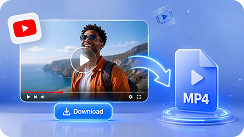
Paste a URL
Paste a link to media you’re allowed to use, such as a recorded talk, presentation, or other publicly accessible content.
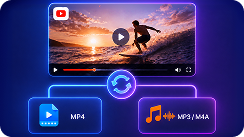
Convert to MP3
The system extracts the audio and converts it into a standard MP3 file, optimized for clear playback, editing, or transcription.
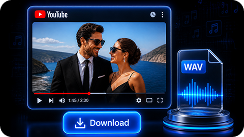
Use or Transcribe
Once ready, download the MP3 for personal use or continue directly to transcription, subtitles, or content analysis.
Why Choose Our Free Link to MP3 Converter
Supports 200+ Platforms
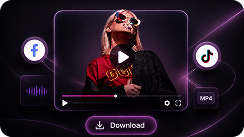
The URL to MP3 converter works with a wide range of publicly accessible media sources, including platforms like Instagram and TikTok. Whether you're working with educational content, interviews, or presentations, you can convert video link to MP3 without needing separate tools.
AI-Optimized Processing Speed
Instead of relying on basic conversion methods, the link to audio converter uses optimized processing to handle media efficiently. This means shorter wait times and more reliable performance, even when working with longer or more complex audio content.
Secure & Privacy-Focused
Your data is handled with care throughout the link to MP3 conversion process. Files are processed securely, and unnecessary storage is avoided, so your content isn’t kept longer than needed. Your activity is not shared or exposed to others.
Works Across All Devices
The URL to MP3 file converter supports a wide range of devices, including Windows, Mac, Android, or iPhone. It runs directly in the browser, providing consistent performance without additional setup or configuration.
No Installation Required
Everything runs directly in your browser. There’s no need to install software, manage updates, or worry about compatibility issues. Just open the page and start the URL to MP3 converting.
Free to Get Started
You can begin using the core features without creating an account or paying upfront. This makes it easy to convert URL to MP3 and see how it fits into your daily tasks before committing further.
How the URL to MP3 Converter Fits into Your Workflow
Legal & Responsible Use
This URL to MP3 tool is intended for audio conversion and processing purposes only. Please make sure you have the rights or permission to use any content you process, and always follow applicable copyright laws in your region.
Discover More
URL Converters
Tips for Video & Audio File Conversion
Frequently Asked Questions
How to convert a URL to MP3 online?
Paste your URL into the link to MP3 converter, start the process, and the system will extract and convert the audio into MP3 format. Once ready, you can download the file or continue to transcription.
What kind of URLs are supported?
The URL to MP3 converter supports a wide range of publicly accessible websites, including Facebook, TikTok, Instagram, SoundCloud, as long as the content is accessible and you have permission to use it.
Can I convert a video URL to MP3?
Yes. If the media contains an audio track, the video link to MP3 converter can extract it and convert it into MP3 format, making it suitable for listening, editing, or transcription.
Is it possible to convert a URL to MP3 in 320kbps?
Yes. You can choose from multiple audio quality options, including 128kbps, 192kbps, and 320kbps, depending on your needs for file size and sound quality.
Can I convert a link to MP3 on mobile?
Yes. The URL to MP3 file converter works directly in your browser and is compatible with mobile devices, so you can convert URLs to MP3 on your phone or tablet without installing any apps.
How long does it take to convert a URL to MP3?
Conversion time depends on the length and quality of the source media, but most conversions are completed within 30 seconds.
Is it free to convert a link to MP3?
Yes. The online link to MP3 converter is available for free, so you can get started without any upfront cost.
Can I use the converted MP3 for transcription or subtitles?
Yes. The MP3 output is suitable for speech-to-text workflows, including transcription, subtitle creation, and content analysis.